Action Table - Document

Summarize news with JamAI Base

1. Introduction

This tutorial will guide you through using the JamAI Base Python SDK to create a simple news summarization system.

What We'll Build

Get a news and let AI tells you the main message!

In this tutorial, we'll create a news summarization system that:

  1. Takes a news document as input. The supported formats include: .csv, .tsv, .txt, .md, .doc, .docx, .pdf, .ppt, .pptx, .xls, .xlsx, .xml, .html, .json, .jsonl.

  2. Upload the document to JamAI Base action table.

  3. Obtain the key information like:

    • Summary

    • Tag

Prerequisites

Before starting, you'll need:

  • Python 3.11 or higher installed

  • Project ID and Personal Access Token (PAT)

2. Installation and Setup

Installing the Python SDK

Basic Configuration

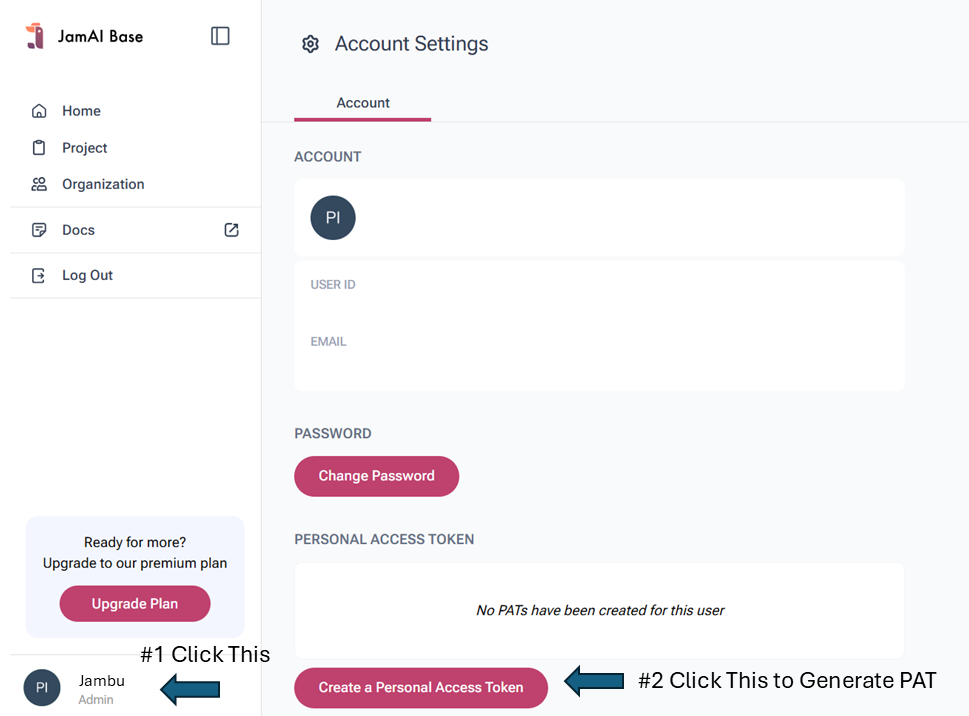
Get your Personal Access Token (PAT) here:

How to generate PAT

Get your Project ID here:

How to get Project ID

You can use a .env file to manage your PROJECT_ID and PAT.

3. Creating Your Action Table

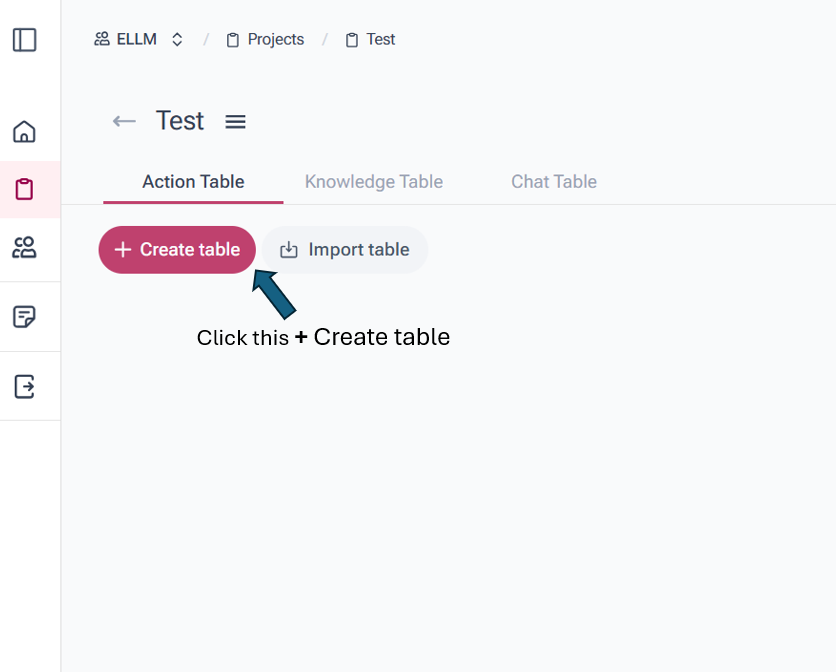
For simplicity, you can set up your action table in the JamAI Base platform:

  1. Navigate to your JamAI Base action table tab

  2. Create a new action table named "news_summarization"

  1. Create the following columns:

Name
Column Type
Data Type

document

Input

Document

summary

LLM Output

Text

tag

LLM Output

Text

  1. Update the Prompt as LLM Output columns as follows:

Column name
Prompt

summary

Table name: "news_summarization"

document: ${document}

Summarize the article in not more than three sentences and not more than 50 words.

Provide the summary in the number form.

Be factual and do not hallucinate. Remember to act as a cell in a spreadsheet and provide concise, relevant information without explanations unless specifically requested.

tag

Table name: "news_summarization"

document: ${document}

Provide at most three tags that well represent the document. Each tag should not have more than three words.

Provide the tag in the number form.

Be factual and do not hallucinate. Remember to act as a cell in a spreadsheet and provide concise, relevant information without explanations unless specifically requested.

4. Basic Implementation

4.1 Simple Document Processor

4.2 Complete Implementation with Error Handling

5. Usage Examples

5.1 Basic Usage

5.2 Batch Processing

6. Best Practices

  1. Error Handling

    • Always validate input files

    • Handle network errors gracefully

  2. Performance

    • Reuse the client instance

    • Consider batch processing for multiple files

    • Implement rate limiting for large batches

  3. Security

    • Use environment variables for credentials

Complete Standalone Example

How to Run

  1. Save the code as news_processor.py

  2. Install the required package:

  1. Run for a single news:

  1. Run for a folder of news:

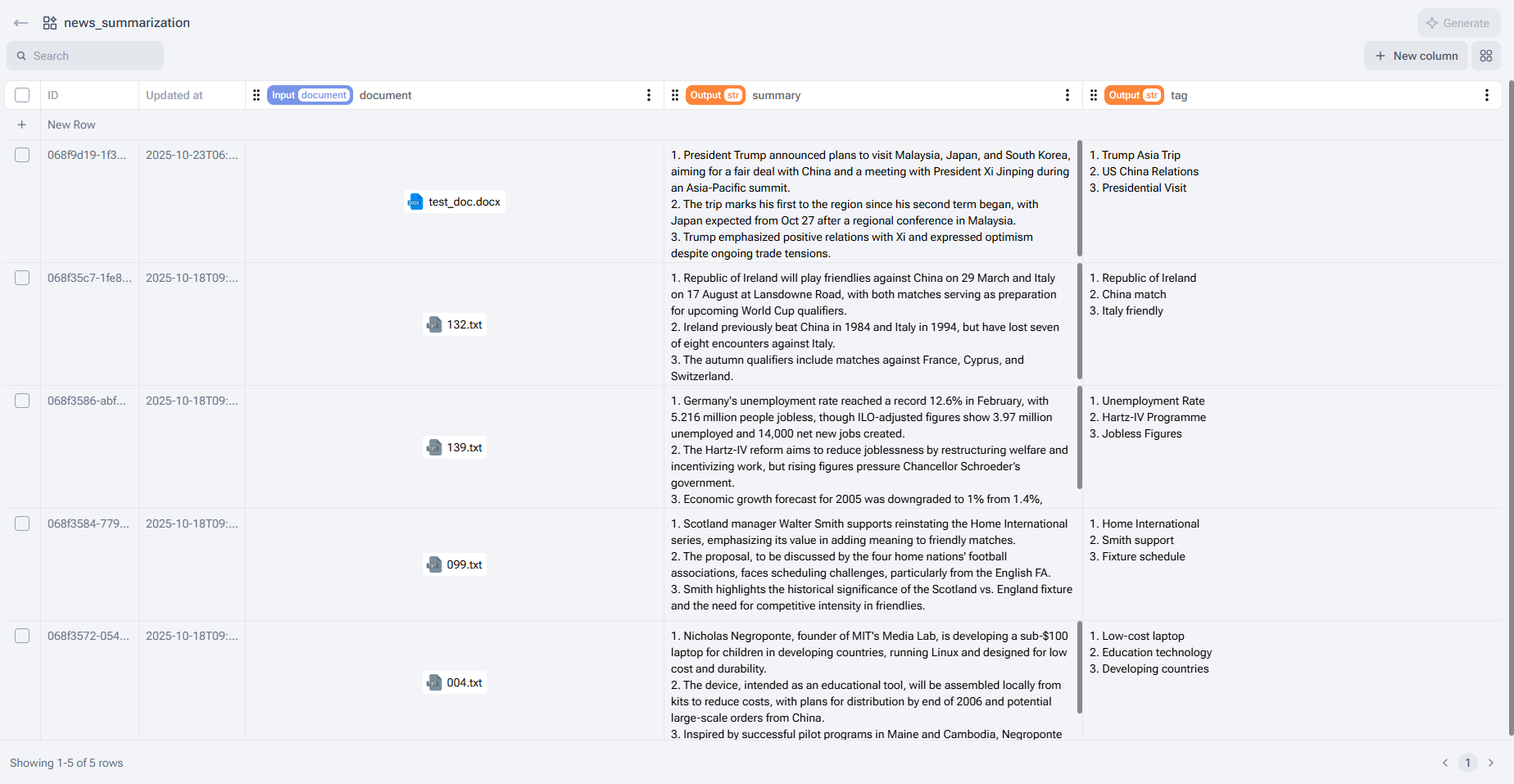
Example Output

The news summarization table with the uploaded documents.

This standalone example provides a complete, working implementation that you can use as a starting point for your own projects or modify according to your needs.

Last updated

Was this helpful?